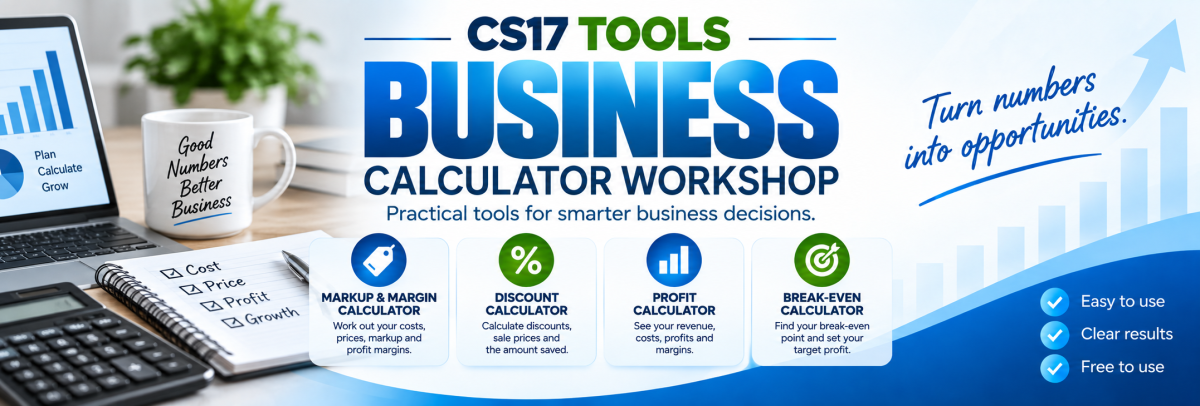
Business Calculator Workshop Help
Learn how to use the Markup & Margin, Discount, Profit and Break-even calculators.
Quick Start
Choose a Calculator
Select Markup & Margin, Discount, Profit or Break-even.
Enter Your Figures
Enter the prices, costs, revenue or other business figures requested.
Select Calculate
The calculator will work out the result using the information you entered.
Compare Scenarios
Change your figures to compare pricing, profit and break-even scenarios.
Business Calculators
Markup & Margin Calculator
The Markup & Margin Calculator helps you compare the cost of an item with its selling price and shows the profit, markup percentage and gross margin percentage.
Enter
- Cost Price
- Selling Price
Results
- Profit per item
- Markup percentage
- Gross margin percentage
If an item costs $100 and sells for $150, the profit is $50. The markup is 50%, while the gross margin is approximately 33.33%.
Target Markup & Target Margin
The Target Selling Price section works backwards from a desired markup or margin.
Enter your cost price and then enter either a target markup percentage or target margin percentage.
Target Markup
For example, a product costing $100 with a target markup of 50% gives a selling price of $150.
Target Margin
Target margin is calculated from the final selling price, so it is different from simply adding the same percentage to the cost.
Discount Calculator
The Discount Calculator helps you work out a sale price and the amount saved when a percentage discount is applied.
Enter
- Original Price
- Discount Percentage
Results
- Sale Price
- Amount Saved
- Percentage of the original price being paid
A $250 product discounted by 20% saves $50 and gives a sale price of $200.
Reverse Discount Calculator
Reverse Discount lets you estimate the original price when you already know the sale price and the discount percentage.
If an item sells for $200 after a 20% discount, the estimated original price was $250.
Profit Calculator
The Profit Calculator helps estimate gross profit and net profit using business revenue, cost of goods or materials and other expenses.
Enter
- Revenue / Sales
- Cost of Goods / Materials
- Other Expenses
Results
- Gross Profit
- Net Profit
- Total Costs
- Gross Margin
- Net Margin
- Cost Ratio
Break-even Calculator
The Break-even Calculator estimates how many units must be sold before revenue covers your fixed and variable costs.
Enter
- Fixed Costs
- Selling Price per Unit
- Variable Cost per Unit
- Target Profit, if required
Results
- Contribution per Unit
- Break-even Units
- Break-even Revenue
- Contribution Margin
- Units Required for Target Profit
- Revenue Required for Target Profit
If fixed costs are $50,000, the selling price is $100 per unit and the variable cost is $40 per unit, each unit contributes $60 toward fixed costs and profit.
Target Profit Calculator
The Target Profit feature extends the Break-even Calculator by showing how many units may need to be sold to reach a desired profit.
The calculator also estimates the sales revenue required to reach the target.
Markup vs Margin
This is one of the most common areas of confusion in business pricing.
Markup
Markup compares profit to the original cost of an item.
Margin
Margin compares profit to the final selling price.
Understanding Fixed and Variable Costs
Fixed Costs
Costs that generally remain even if sales volume changes, such as rent, some salaries, subscriptions and insurance.
Variable Costs
Costs that change as more products or services are sold, such as materials, packaging, freight or some direct labour costs.
Correctly separating fixed and variable costs can make break-even calculations much more useful.
Quick Sales Scenarios
The Break-even Calculator includes a Quick Sales Scenarios table.
This table shows several different sales-volume examples and estimates:
- Units Sold
- Revenue
- Variable Costs
- Estimated Profit
This can help you quickly compare the effect of increasing or decreasing sales volume.
Frequently Asked Questions
Does the calculator include GST, VAT or sales tax?
Not automatically. Enter figures consistently as either tax-inclusive or tax-exclusive depending on the calculation you are performing.
Should I use prices including or excluding tax?
That depends on what you are trying to analyse. For business profitability, many businesses analyse revenue and costs excluding recoverable GST or similar taxes. Check with your accountant if you are unsure which figures are appropriate.
What is the difference between gross profit and net profit?
Gross profit generally subtracts the direct cost of goods or materials from revenue. Net profit also subtracts the additional business expenses entered into the calculator.
Why is my break-even result rounded up?
You cannot normally sell part of a physical unit, so the calculator rounds the required number of units upward to the next whole unit.
What happens if my variable cost is higher than my selling price?
A normal break-even point cannot be calculated because each additional sale would not contribute enough to cover fixed costs. The selling price must be greater than the variable cost per unit.
Can I use negative profit figures?
The Profit Calculator may show a negative result when total costs exceed revenue. This represents an estimated loss rather than profit.
Are the results suitable for accounting records?
The calculators are intended for general planning and comparison. They do not replace accounting software, financial statements or professional accounting advice.
Can I use the calculators for quoting?
They can help you explore pricing scenarios, but you should make sure all relevant labour, materials, overheads, taxes, fees and other costs have been included before relying on a quote.
Do I need an account?
No. You do not currently need to register or sign in to use Business Calculator Workshop.
Does it work on mobile phones?
Yes. Business Calculator Workshop is designed for desktop computers, laptops, tablets and mobile phones.
Important Business Information
Actual business profitability and pricing may be affected by labour, taxes, GST or VAT, financing costs, merchant fees, freight, wastage, discounts, insurance, depreciation, overheads and many other factors.
The calculators do not provide accounting, taxation, financial, legal or business advice.
For important commercial decisions, independently verify calculations and, where appropriate, obtain advice from an accountant, tax professional, financial adviser or other suitably qualified professional.
Need More Help?
If you find a problem with Business Calculator Workshop or would like to suggest another business calculator, please contact us.
CS17 Tools
Email: admin@cs17.net